Member Dashboard

Welcome back. What would you like to do?

Add Tail Wag Reviews Dashboard  to your phone's home screen — one tap and all your Tail Wag tools will be right there.

Fav Tail Wag

Tail Wag Reviews

1

Open this page in Safari

This only works in Safari — not Chrome or other browsers. If you're in another browser, copy the link and open it in Safari.

2

Tap the Share button

The Share button is the square with an arrow pointing up — at the bottom of the screen on iPhone.

3

Tap "Add to Home Screen"

Scroll down in the Share menu until you see "Add to Home Screen" — tap it.

4

Tap "Add"

Confirm by tapping Add in the top right corner. The icon will appear on your home screen.

1

Open this page in Chrome

Chrome works best on Android for adding pages to your home screen.

2

Tap the three dots menu

The three dots are in the top right corner of Chrome — tap them to open the menu.

3

Tap "Add to Home screen"

Find "Add to Home screen" in the menu and tap it.

4

Tap "Add"

Confirm by tapping Add. The icon will appear on your home screen.

Once added, look for the icon on your home screen. One tap and you're in.

You need to be on this page using your phone

Your Tail Wag Tools

Review Multiplier

Tail Wag Review Multiplier

Paste a review — get a Google post, a Facebook post, and a reply. Ready to use in minutes.

Review Multiplier


Review Quick Reply

Review Quick Reply

Paste a review — get a personalised reply. Done in 60 seconds.

Review Reply
Review Request

Review Request

Scripts and templates for asking clients for a review — at pickup, by text, or by email
.
Review Request
Before & After Photo Maker

Before & After Photo Maker

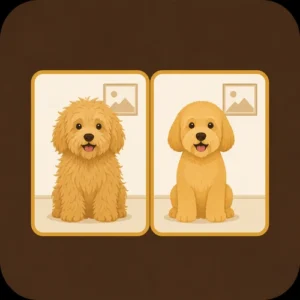
Turn two photos into one shareable before-and-after image. Free tool, no app needed.

Photo Maker
Most Out of Tail Wag

Get the Most Out of Tail Wag

Guides, best practices, and the thinking behind the system — so every tool works harder for you..

Resource Center